
Thank you for loving our products at Oh Canvas!
To repurchase your favorite items, you can either easily reorder them directly on our website or contact our support team for assistance—whichever works best for you.
Option 1: Reorder directly on our website
You don’t need to log in to place a repeat order. Just follow these simple steps:
Step 1: Visit our website at https://ohcanvas.com/ and use the search bar or browse our categories to find the product you loved.
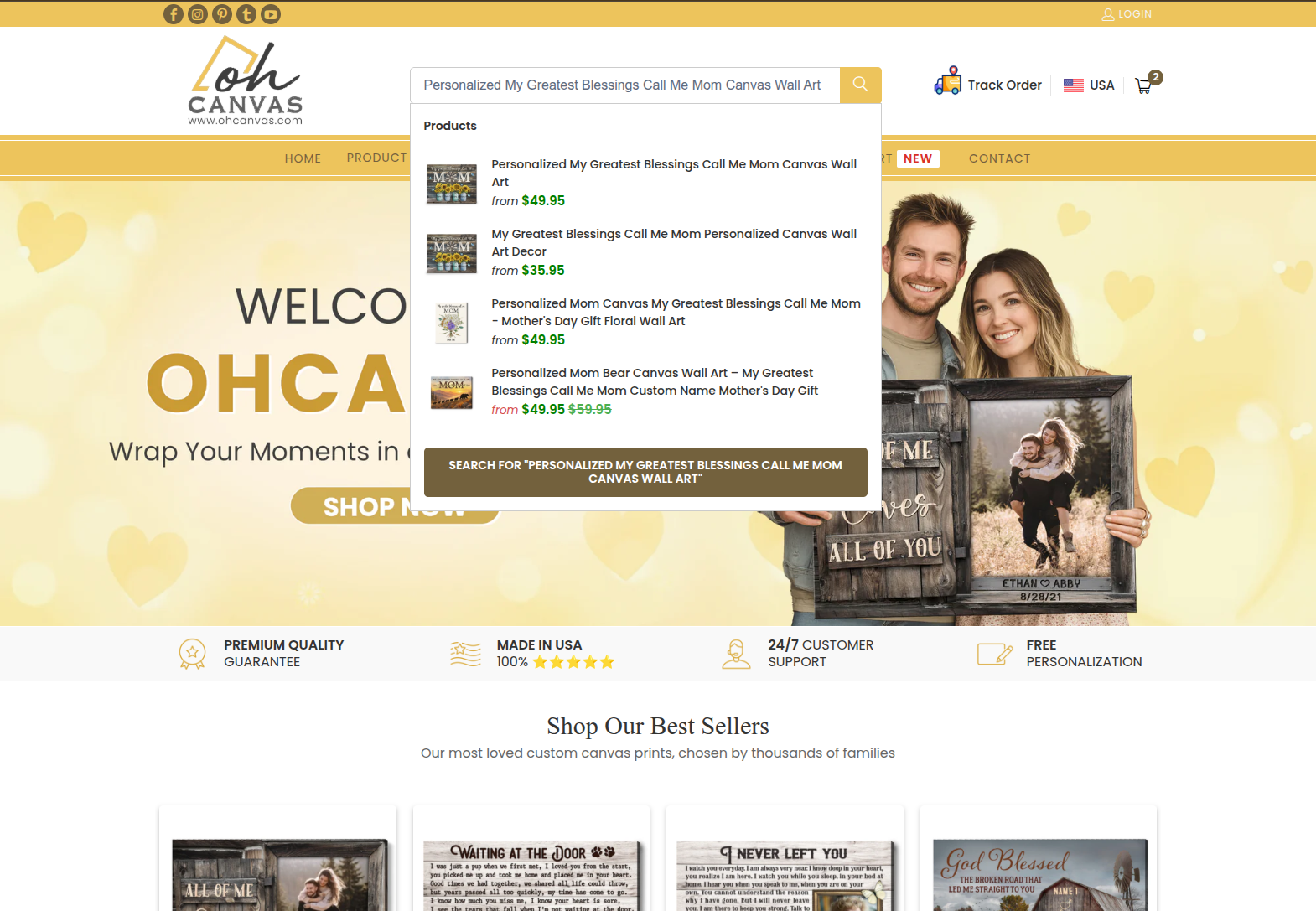
Step 2: Click on the product to access its detailed page.
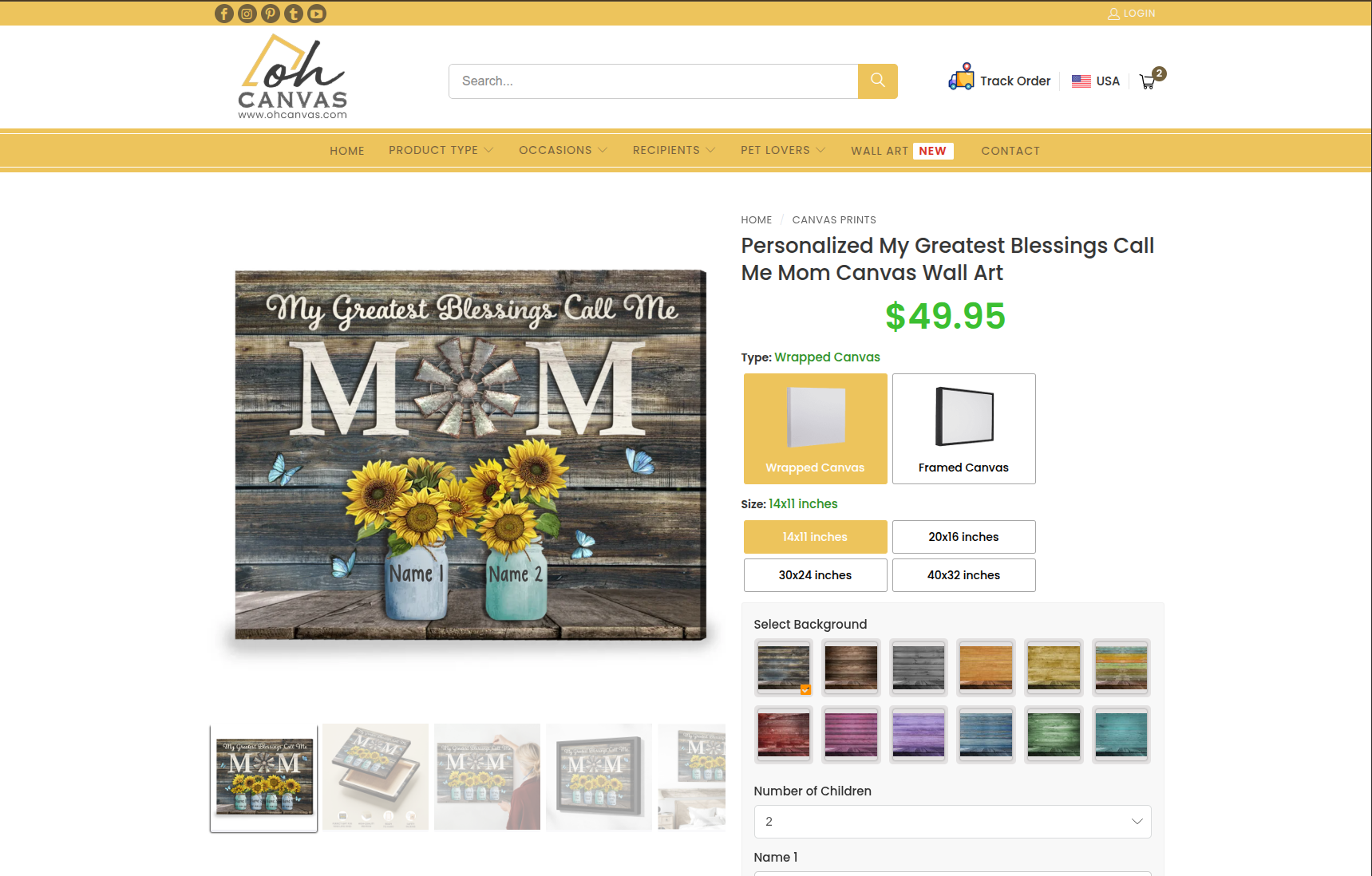
Step 3: On the product page, you can re-enter your personalization options (such as names, dates, quotes, or uploaded photos) exactly as you had them before, or make new changes if you wish. Once you have previewed the design, click the Add to Cart button and proceed to checkout as usual.
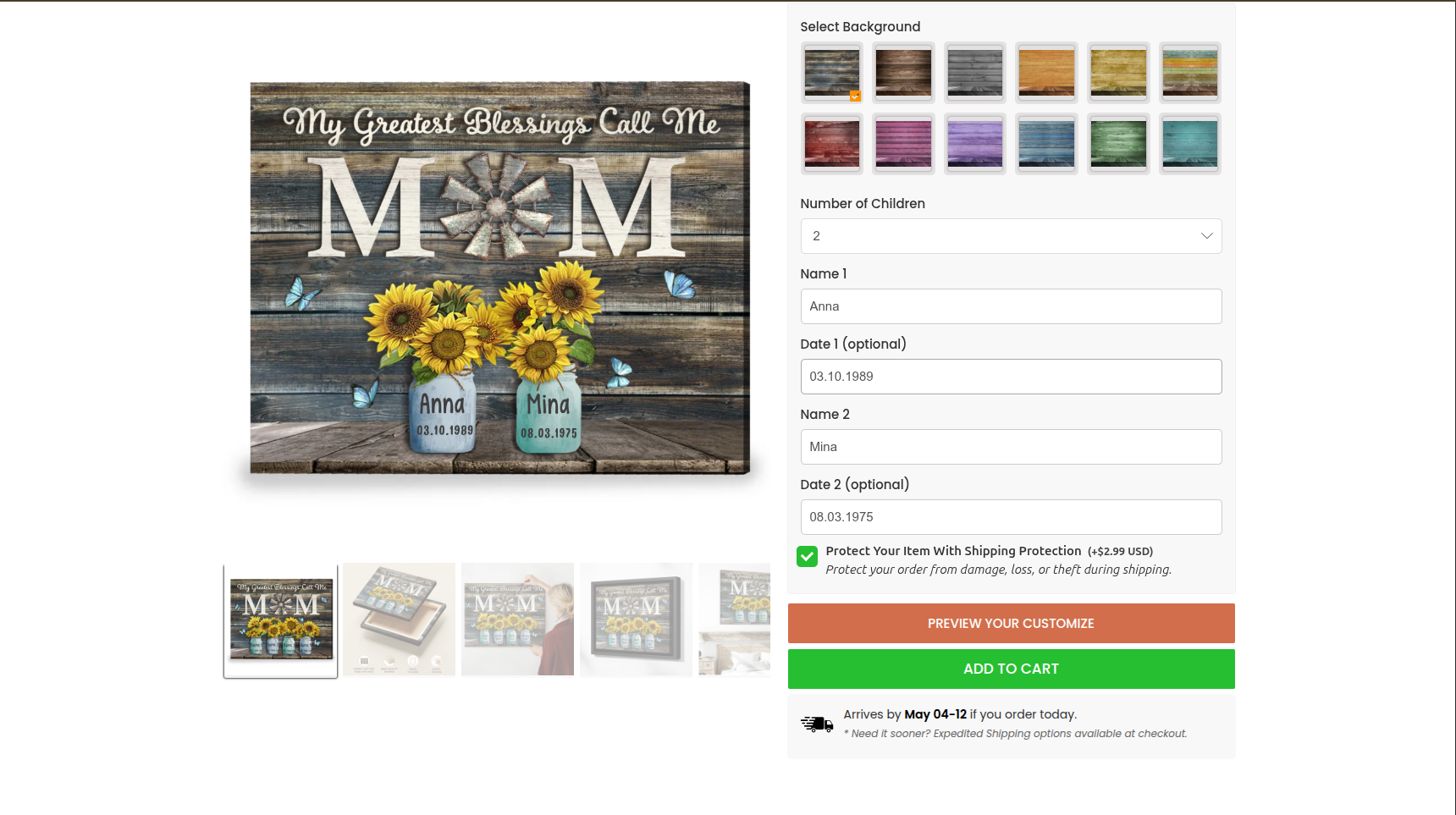
Note: If you are unable to find the specific design you ordered previously, it is possible that the product has been updated or discontinued. In this case, please move to Option 2 so we can look into it for you.
Option 2: Contact us for assistance
If you still have your previous Order ID, we can help you create a duplicate order and send a secure checkout invoice directly to your email.
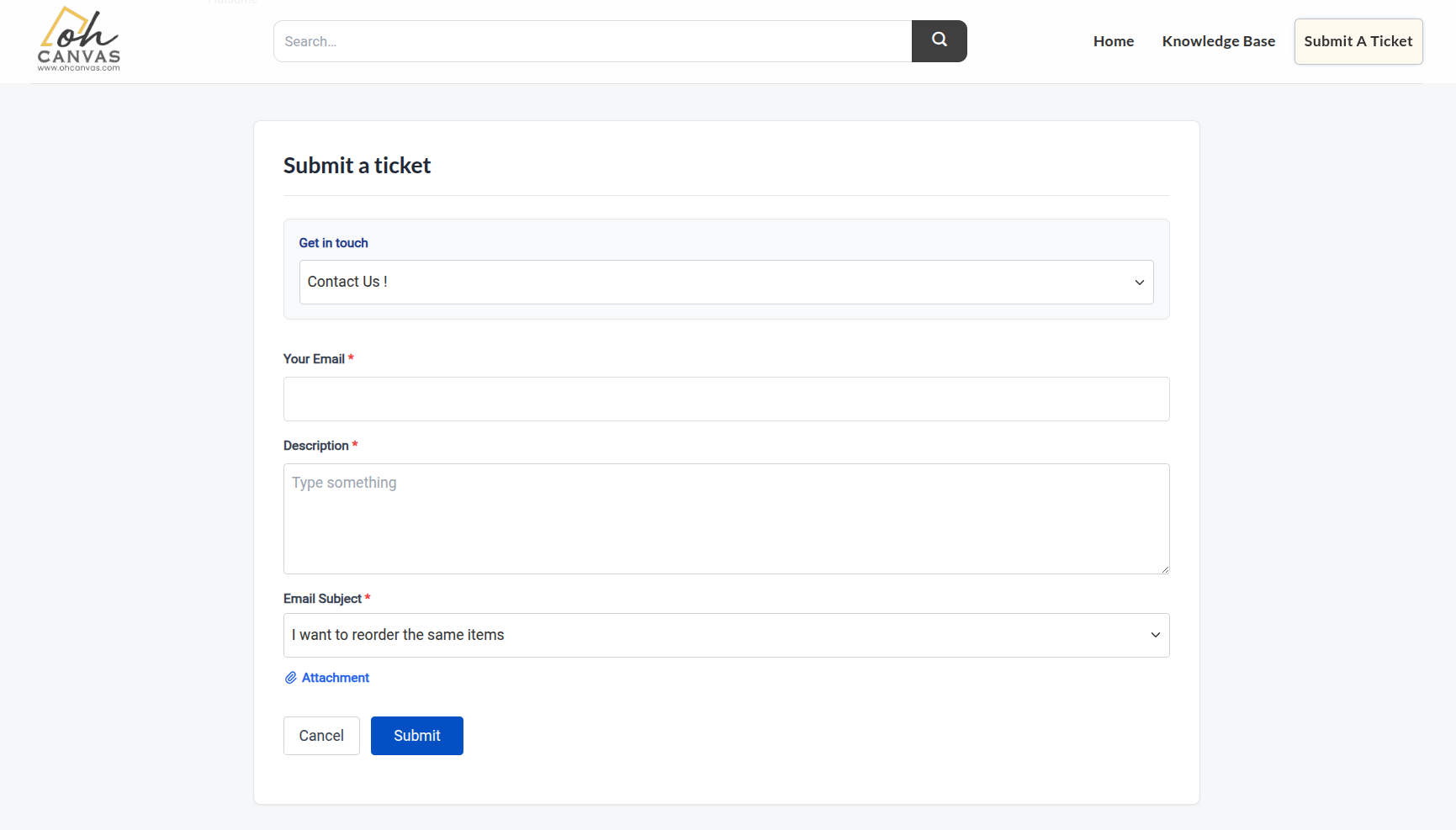
Step 1: Go to our Contact page and fill out all the required information (Email address, Subject, and your old Order ID).
Step 2: Click the down arrow in the “Reason” box, scroll down and select “Email Subject”. Following that, a new sub-option will appear; please choose “I want to reorder the same items” from the list.
Step 3: Clarify any specific requests or changes in the Description box, then press the Submit button. Our support team will check your previous order and assist you right away!
Get ready for the upcoming special occasions with our ultimate best-sellers: Check it out now
Our personalized canvas prints have won over countless customers as the perfect way to preserve cherished memories of loved ones. Don’t miss out on the chance to explore our beautiful collections and enjoy the savings!