Creating your perfect personalized canvas is simple and fun! To place an order, just select your favorite design, fill in your unique personalization options (like names, dates, or photos), and click “Add to Cart.” From there, proceed to Checkout, enter your shipping details, and complete your payment safely. You will receive an order confirmation email within a few minutes!
Here is a detailed step-by-step guide:
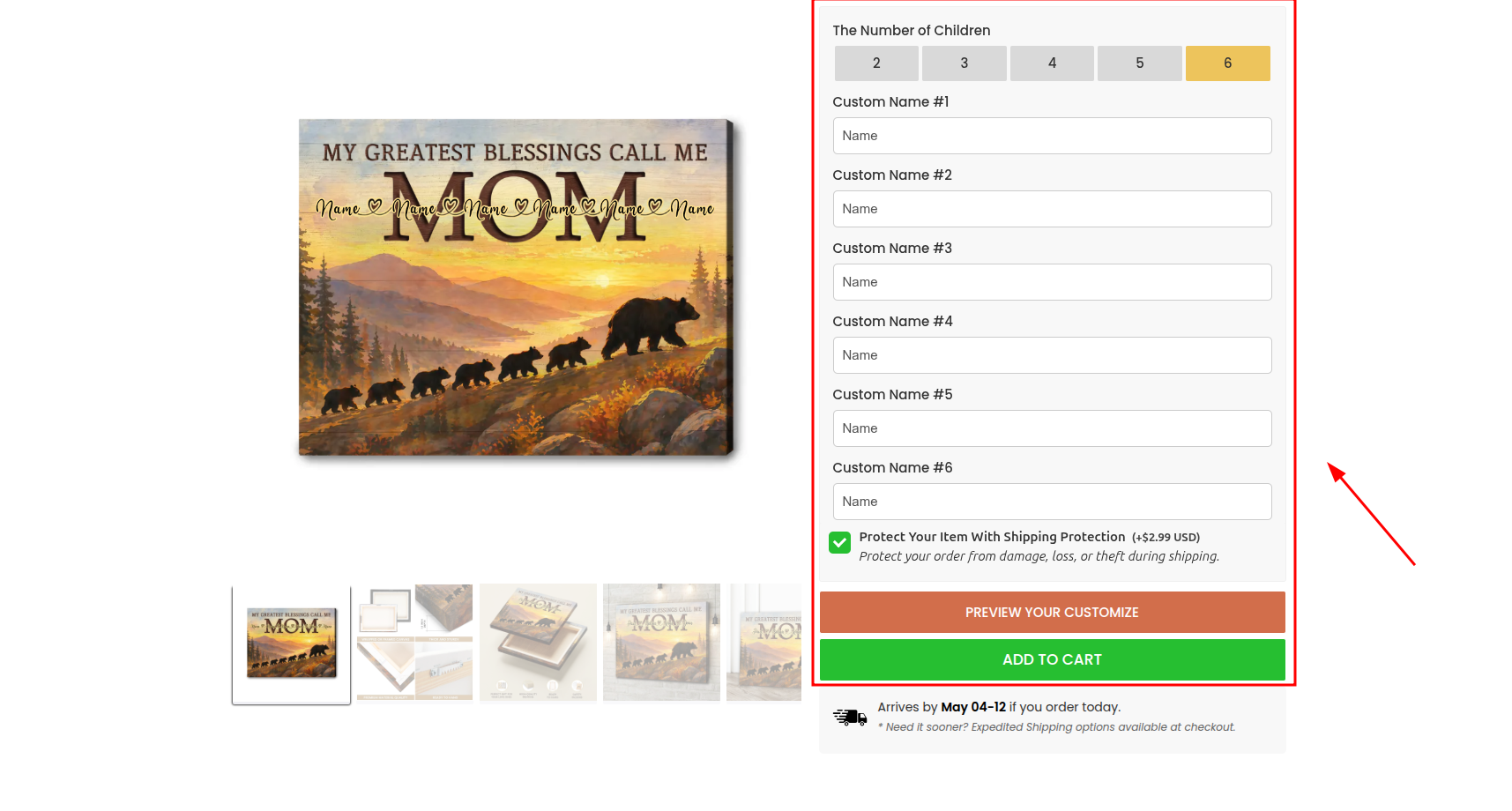
Step 1: Choose and Customize Your Product Once you find a design you love on our website:
-
Personalization Options: Fill in the required fields to make the artwork yours (such as entering names, dates, selecting frame colors, or uploading high-quality photos).
-
Live Preview: Click the Preview button to see a real-time digital mockup of how your final custom gift will look.
-
Double-Check: Please review all spelling, dates, and selected options carefully to ensure everything is absolutely perfect before moving on.
Step 2: Add to Cart & Review
-
Click the Add to Cart button.
-
A cart summary will appear on your screen. Ensure the Quantity, Size, and all Details are exactly what you want.
-
Click Checkout to proceed to the secure payment page.
Step 3: Shipping & Discount Code
-
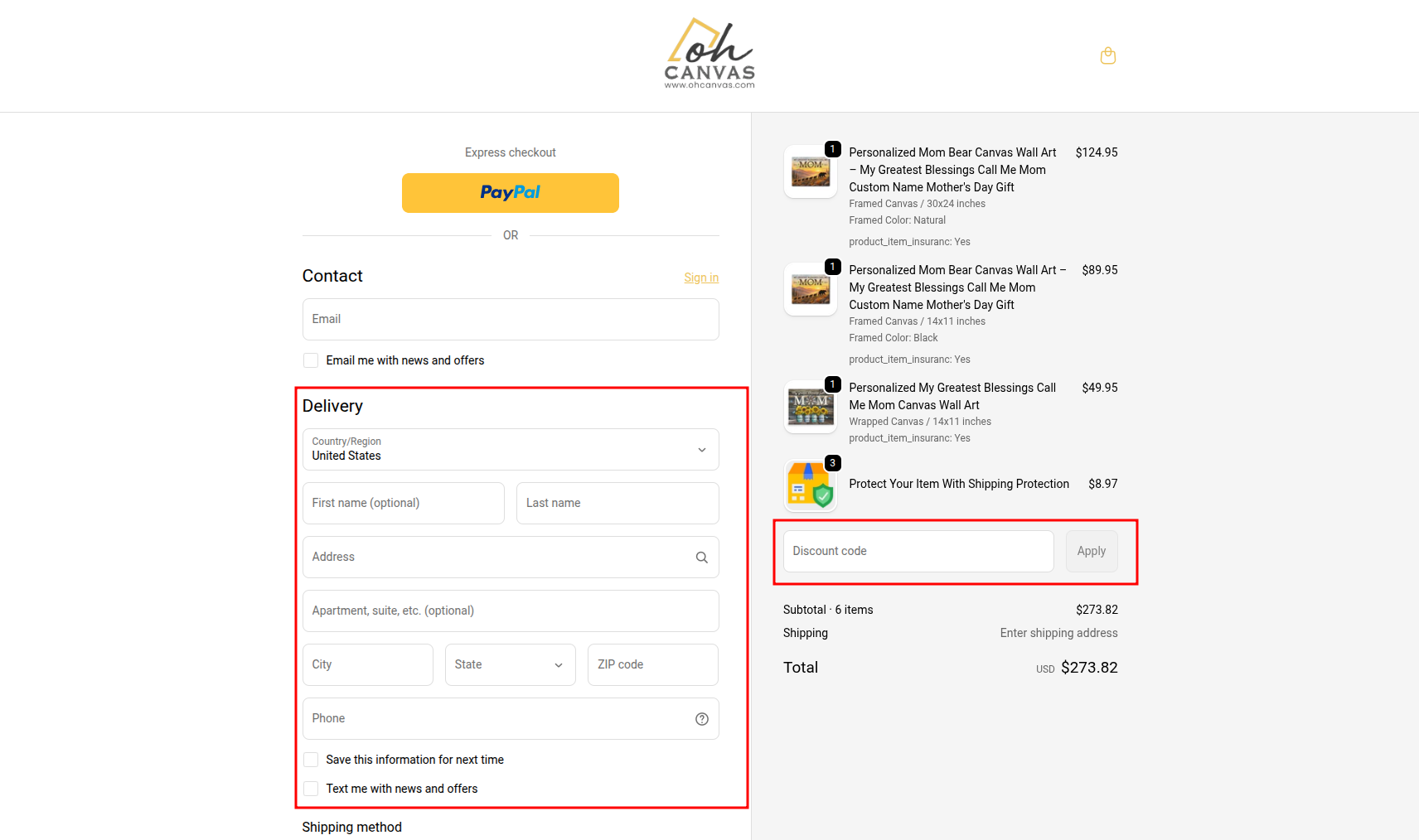
Shipping Information: Enter your email address and your full delivery address. Tip: Please double-check your House/Apartment Number and Zip Code carefully to avoid any delivery delays.
-
Discount Code: If you have a promo code, enter it into the “Discount code” box on the checkout page and click Apply to see your total update.
Step 4: Payment & Confirmation
-
Select your preferred payment method (Credit/Debit Card, PayPal, Apple Pay, etc.) and enter your details securely.
-
Click the Complete Order (or Pay Now) button.
-
Check Your Inbox: An Order Confirmation email containing your receipt and a unique Order ID will be sent to your email address shortly.
Step 5: [IMPORTANT] Post-Purchase Policy
-
2-Hour Window: You have a strict 2-hour window immediately after placing your order to request any modifications or cancellations. After this time, your custom design is locked and sent to our production team for printing.
-
Support: If you realize you made a mistake or need to make changes within this 2-hour timeframe, please Contact Us immediately so our support team can assist you!