
Yes, absolutely! We want to make sure your personalized canvas looks exactly the way you envision it. You can easily view a preview of your custom design in two ways:
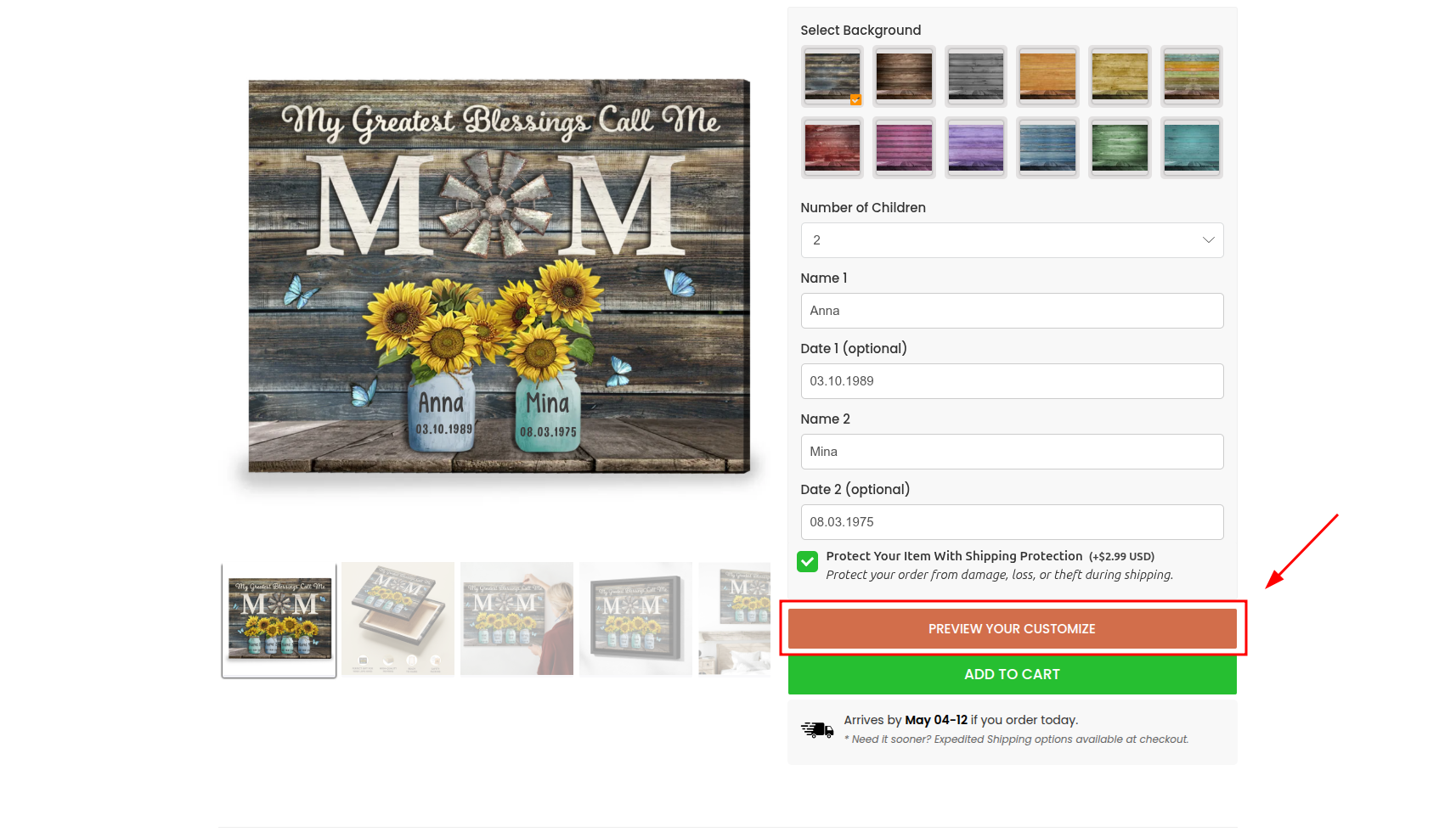
1. Before submitting your order While customizing your product on our website, you can see a live mockup of your design before adding it to your cart.
-
Go to the product page and fill in all your preferred personalization options (names, dates, photos, etc.).
-
Once you are done, look for the Preview button (usually located below the personalization fields) and click on it to see exactly how your final item will look.
2. After completing your purchase If you have already placed your order, you can still review your personalized design.
-
Open the order confirmation email that we sent to your inbox right after your purchase was successful.
-
Inside this email, you will see a summary of your order along with a preview image of your customized item.
Note: If you cannot find the confirmation email in your primary inbox, please check your Spam/Junk folder. For further assistance, please refer to our article on Why didn’t I receive my order confirmation email?